Atomic Design / UX Design / Connected E-Car App
Your vehicle, in your hand
Overview
As electric vehicles become mainstream, the ownership experience extends far beyond the vehicle itself. This project designed the companion mobile application for a connected EV platform — giving drivers complete visibility and control over their vehicle from anywhere.
Disciplines
Mobile UX
Product Design
UX Research
Interaction Design
Year
2025
The Challenge
EV owners face anxiety around charge state, range, and remote vehicle management. Existing connected car apps are cluttered, slow to parse critical information, and treat the phone as a secondary screen. The challenge was to design a companion app that feels as premium as the vehicle itself.
"Remote control, charge management, and real-time vehicle intelligence — designed for the EV generation."
Charge status buried 2–3 taps deep
Slow climate pre-conditioning flows
Cluttered home screen hierarchy
No premium feel — app lags behind vehicle
Design Principles
Battery %, range, and charging status always visible on home. One look tells you everything you need before walking to your car.
Single-tap access to the most critical remote actions. Lock, climate, charge — never more than two taps away.
Dark UI palette with cyan accents mirrors the vehicle's cockpit. The app feels like an extension of the car, not an afterthought.
Process
Studied existing EV companion apps across Tesla, Ola Electric, and Tata Nexon EV. Identified core pain points: buried charge status, slow climate flows, and poor information hierarchy on the home screen.
Tesla: great but too minimal for Indian market
Ola S1: feature-rich but confusing navigation
Nexon EV: functional but dated visual language
Gap: no app that felt truly premium end-to-end
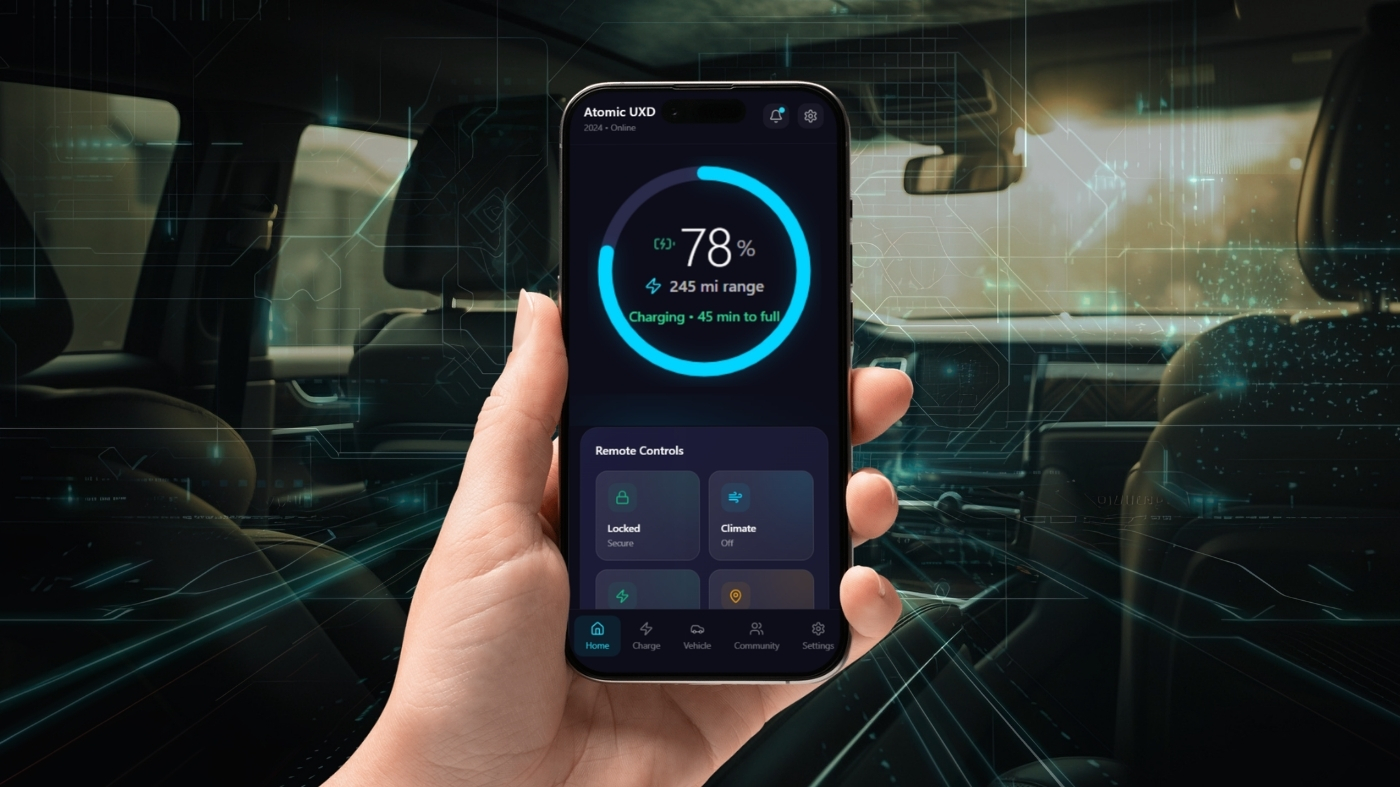
Atomic UXD — Connected E-Car companion app · Charge ring hero screen
Five core sections built around the driver's mental model — not the car's technical systems. The home screen was designed around one primary number: battery %.
App Structure — 5 Core Sections
Home
Charge ring, range, time-to-full at a glance
Charge
Schedule charging, history, nearby stations
Vehicle
Health status, locks, windows, sunroof
Community
Achievements, leaderboard, shared journeys
Settings
Preferences, notifications, software updates
Light and dark theme directions explored in parallel. The dark theme won — it mirrors the vehicle's cockpit and makes the cyan charge ring the hero element of the app.
Dark Theme — Selected
Premium cockpit feel · Charge ring pops · Reduces eye strain at night
Light Theme — Explored
Cleaner in daylight · Less distinctive · Loses the premium feel
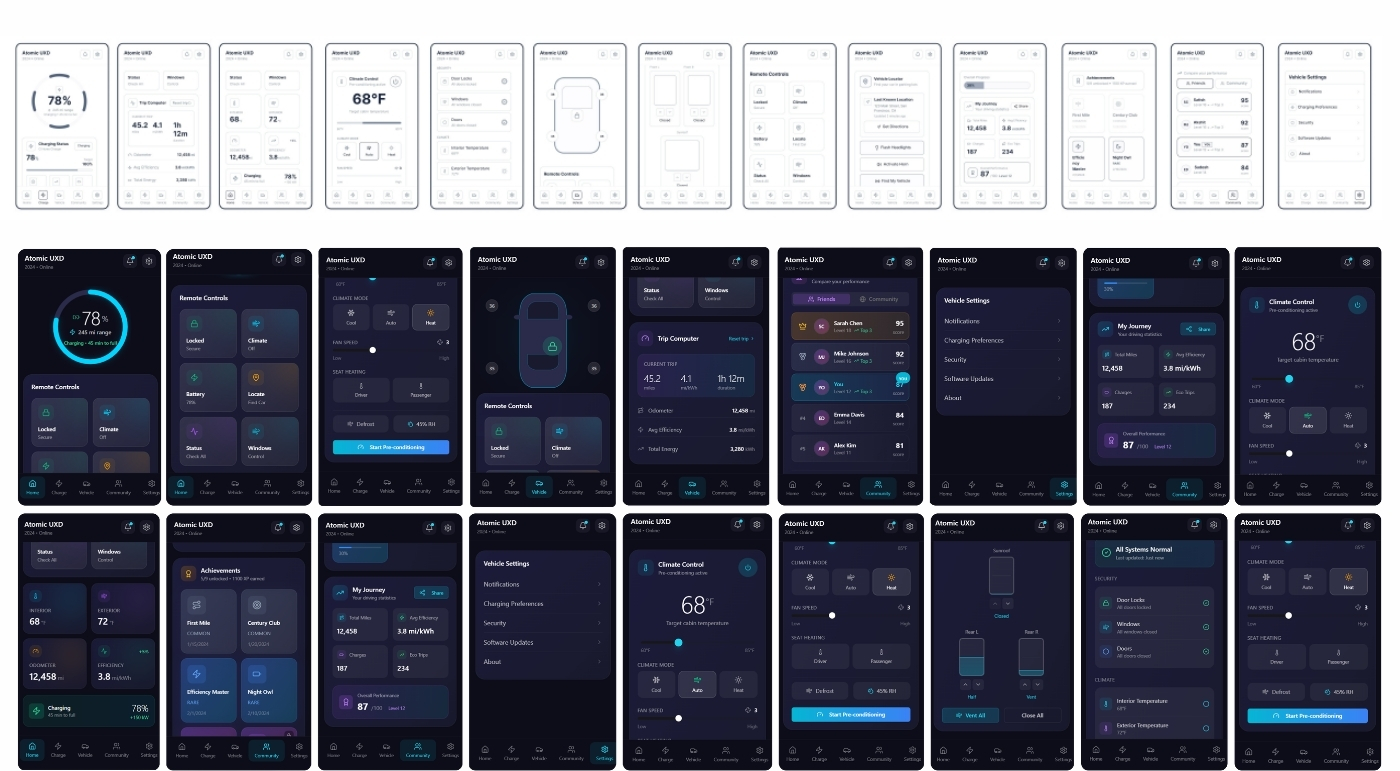
Both light and dark theme directions fully explored across 30+ screens
Every remote action designed for single-tap access. Critical states confirm with immediate visual feedback — no ambiguity about whether the car received the command.
Remote Controls — 6 Key Actions
Lock / Unlock
Locked · Secure
Climate Control
68°F · Pre-conditioning
Charge Management
78% · 45 min to full
Find My Vehicle
Koramangala, Bengaluru
Windows
All closed
Status Check
All systems normal
30+ screen interactive prototype tested with EV owners across Bengaluru. The charge ring was the standout finding from user testing.
Charge ring reduced range anxiety significantly
Climate pre-conditioning most-used remote feature
Single-tap lock accessed 8x per day on average
Community features drove repeat engagement
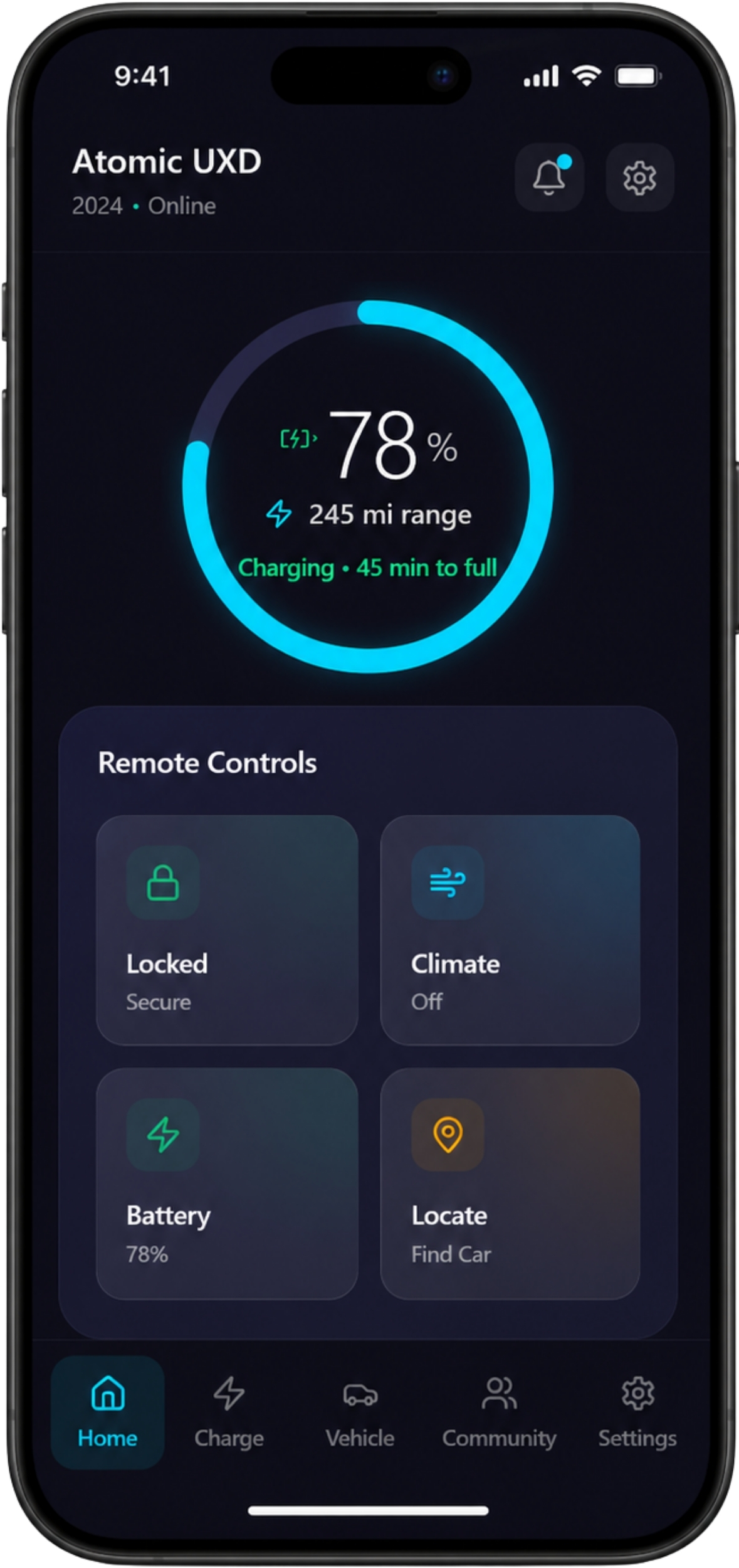
Home — Charge Status
The hero screen. Battery percentage, range, and time-to-full in a single glanceable ring. Remote controls one tap below.
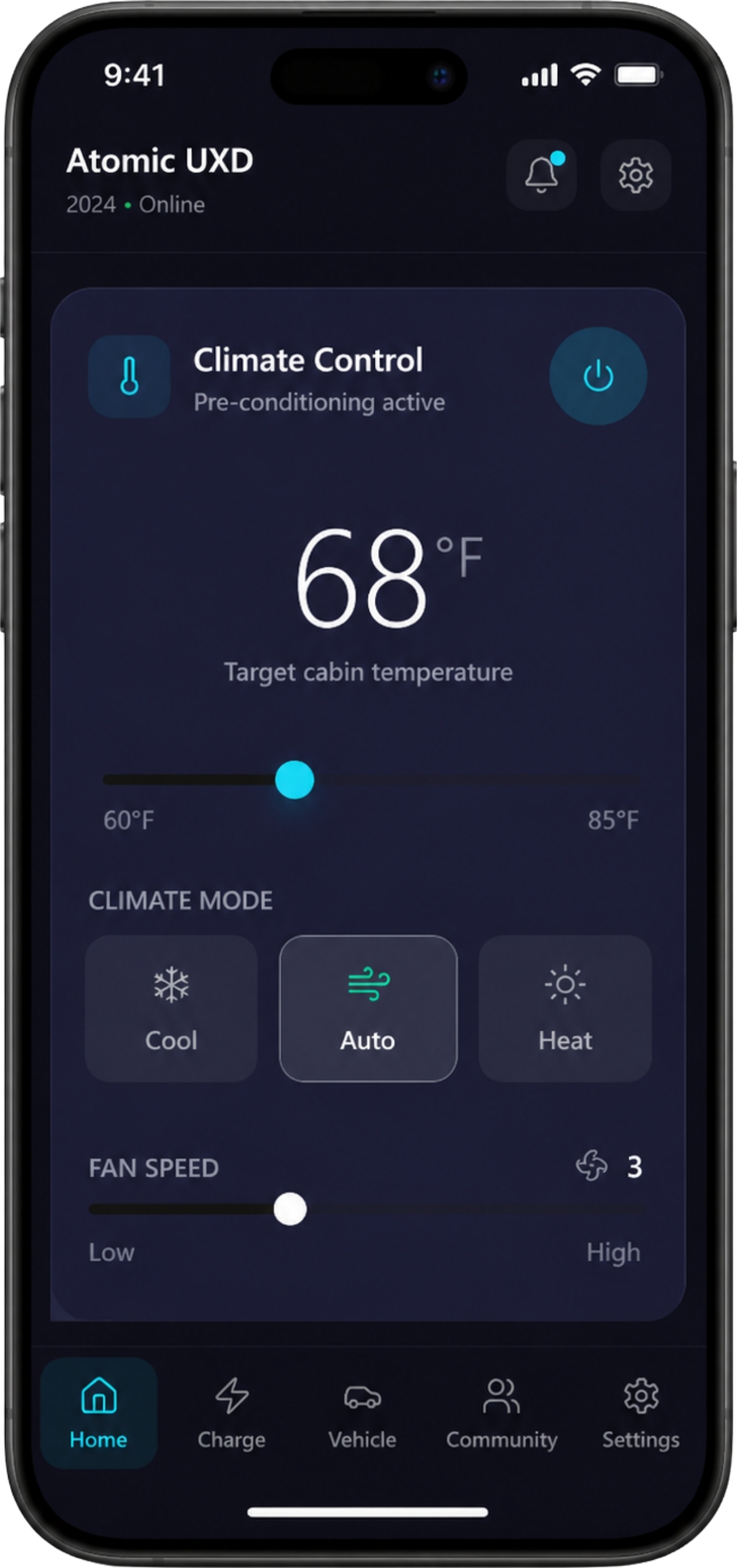
Climate Control
Pre-condition the cabin temperature before you get in. Individual window and sunroof states visible at a glance.
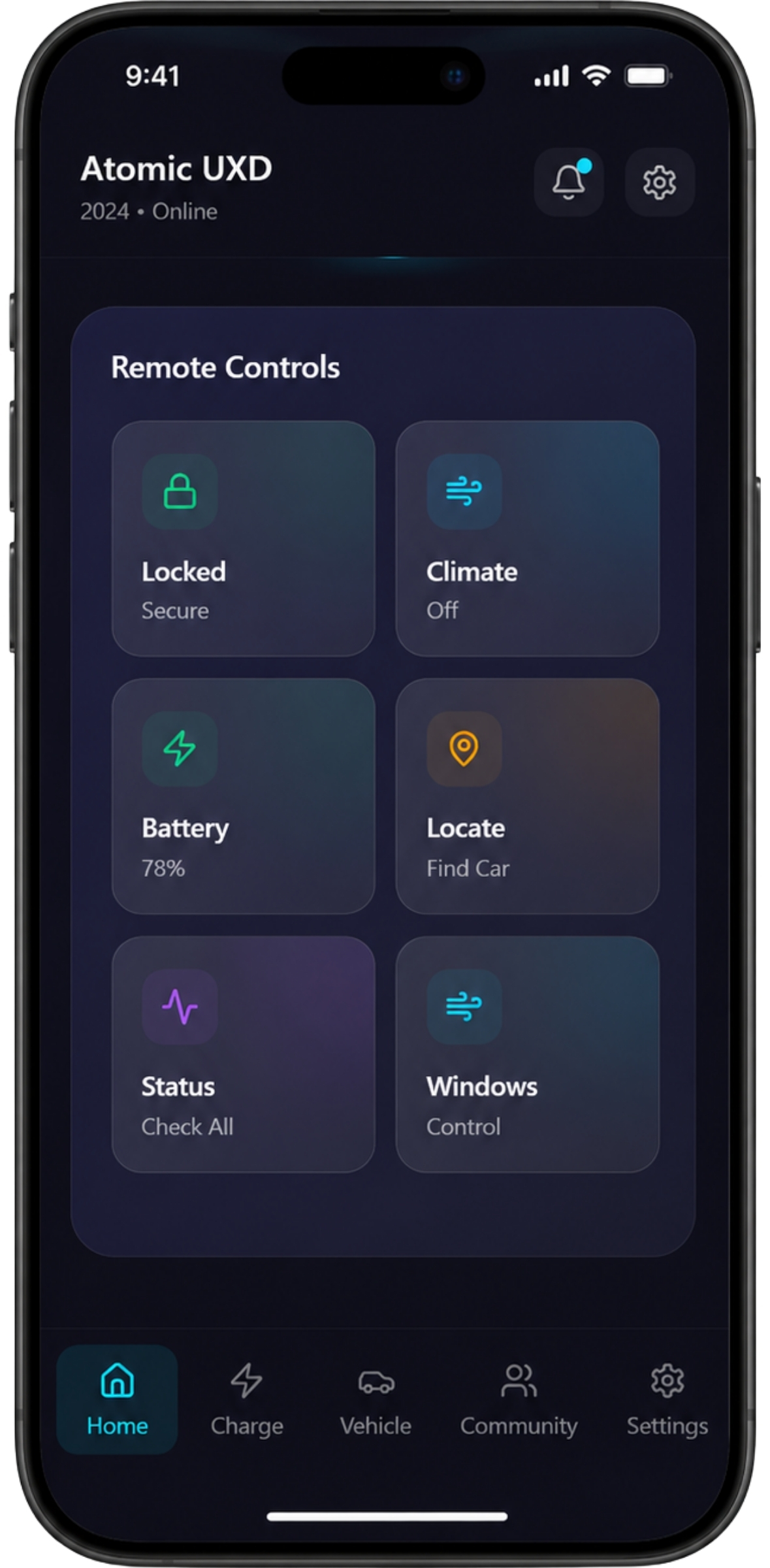
Remote Controls
Lock, climate, charge, locate — the four most critical actions surfaced immediately. Each state confirms visually with clear feedback.
Deliverables
Outcome
A complete connected EV app design system covering 30+ screens across 5 core modules. The dark-first UI with the charge ring as the centrepiece became the defining visual of the product — immediately communicating vehicle state the moment the app opens.
